
Python IDE : a software development tool. Compare Python IDEs.
An IDE is a program you write code in. It gives you more than a text editor: syntax colouring, autocomplete, a debugger and a terminal in the same window.
You do not need one to write Python, but you will go faster with one. This page lists the ones worth trying.
An integrated software developent (IDE) makes software development much better!
Code with tabs, syntax highlighting, code completion and many awesome features!
Python IDEs
An IDE is a program for software development.
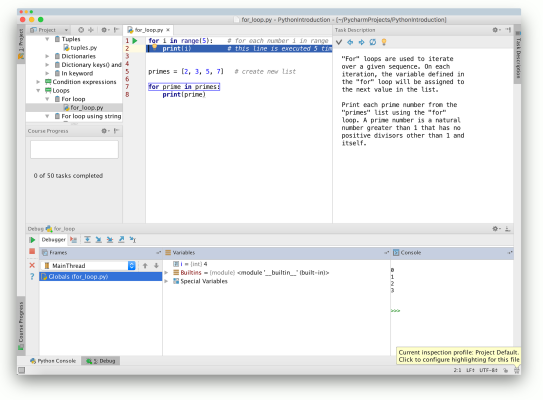
List of popular Python IDEs. These are some of the most popular.
If you are a total beginer, I recommend PyCharm or Spyder.
Some popular IDEs:
For power users:
In the next article we’ll compare features and IDEs.
How to pick one
- PyCharm has everything, but it is heavy on memory. The free Community edition is enough for learning.
- Spyder looks like MATLAB and RStudio. Good if you like to see your variables while you work.
- VS Code is light and free. Install the Python extension and you have an IDE.
- Thonny is small and made for beginners. It shows the variables of your program without asking.
Any editor works for the first weeks. Try two of them for a day each and keep the one that feels comfortable.
The fastest way to learn this is to write it yourself. The PyChallenge exercises run in your browser, no install needed.