
Develop Graphical User Interface applications with Python using the well known PyQt toolkit. This tutorial shows you how.
PyQt is a set of Python bindings for the Qt library. Qt is a toolkit for desktop apps and PyQt puts it within reach of Python, so you can write a window, a button or a chart without leaving Python.
It runs the same code on Windows, macOS and Linux, which is the main reason people pick it.
Python is not only for the terminal. With PyQt it can make a desktop app. The same code runs on Windows, Mac and Linux.
Setting Up PyQt
Install PyQt:
pip3 install pyqt5 |
What Applications Can You Develop with PyQt?
With PyQt you can build anything from a small form to a full application, and it runs on Windows, Mac and Linux.
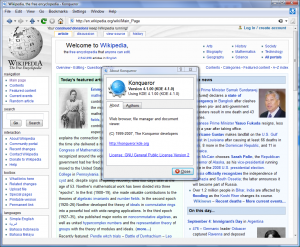
Did you know? The famous web browser, Konqueror, is built with Qt.
Mastering PyQt: A Step-by-Step Guide
What you need to know, in this order:
- Getting started: PyQt5 hello world
- Positioning: PyQt5 center window
- Interactivity: PyQt5 button
- Notifications: PyQt5 messagebox
- User feedback: PyQt5 tooltip
- Navigation: PyQt5 menu
- User input: PyQt5 line edit
- Media components: PyQt5 video widgets
- Organizing content: PyQt5 groupbox
- Customizing appearance: PyQt5 window flags
- User control: PyQt5 sliders
- Text handling: PyQt textarea
- User choices: PyQt checkbox
- Options and lists: PyQt combobox
- Data storage: PyQt clipboard
- Web capabilities: PyQt Webkit browser
What is in the box
- Widgets: buttons, labels, text fields, lists, menus and dialogs.
- Layouts: they place the widgets and keep them right when you resize.
- Signals and slots: one widget tells another something happened.
- QtWebEngine: a browser component for a desktop app.
- QtCharts and pyqtgraph: charts inside the same window.
- Multimedia, so video and sound are possible too.
Install it with pip install PyQt5. A desktop app is normally packaged
with PyInstaller, which puts everything into one file the user can run.
Every PyQt program has the same shape: create a QApplication, build a window, call show. Start with PyQt5 hello world if you have not done it before.
The fastest way to learn this is to write it yourself. The PyChallenge exercises run in your browser, no install needed.