
Twisted is an event-driven network engine.
Scripting is where Python really pays off. The Python Scripting Essentials Bundle has the kind of small automation projects you would build for work.
Twisted is an event driven network engine. You give it a protocol and it takes care of the connections, the timeouts and the events. Flask and Django sit higher up, they take care of routing requests for you.
Use Twisted when you need something a web framework does not do, a custom protocol, a long lived connection or a client that talks to something other than a browser.
Its more general than CMS-like frameworks such as Flask or Django.
You can create many network applications including a custom server, low level sockets echo client, Bit-torrent client or even create a mail client.
Protocols
Protocols
You don’t have to define the protocol. Twisted includes lots and lots of protocol implementations:
That includes: HTTP, FTP, SMTP, POP3, IMAP4, DNS, IRC, MSN, OSCAR, XMPP/Jabber, telnet, SSH, SSL, NNTP.
Install
Python Twisted can be installed with the command
pip install twisted |
It’s recommended to use a virtual environment (virtualenv)
You can install virtualenv with pip:pip install virtualenv
Navigate to your projects directory. Then run the commands below:
$virtualenv try-twisted |
Server
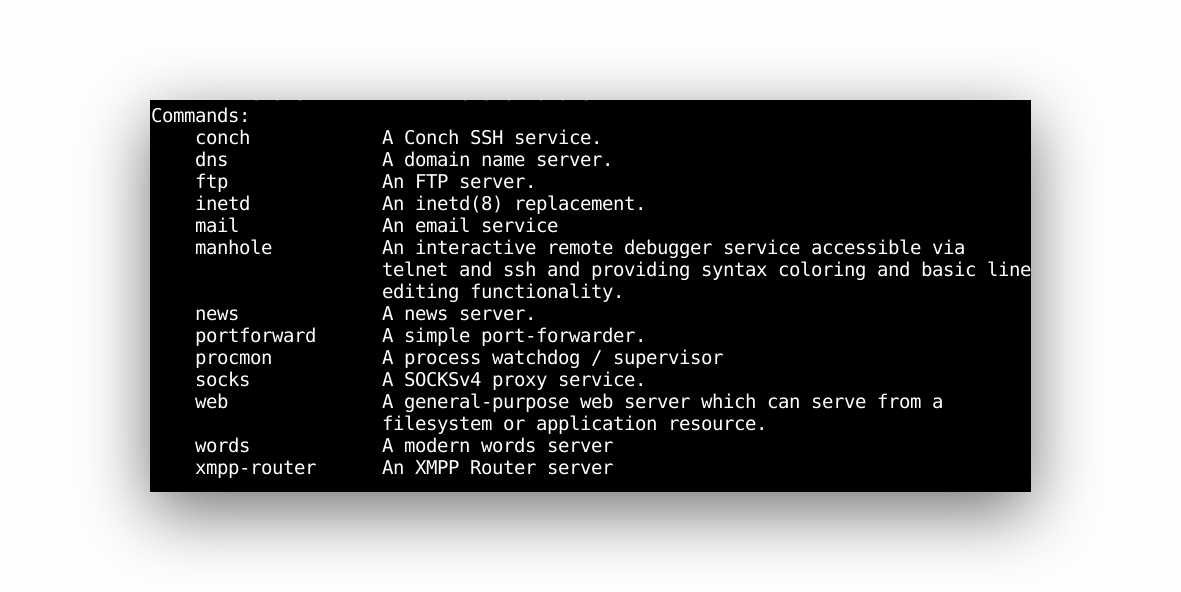
Twist supports many protocols out of the box.
A web server will be stared if you type the commandtwist web
To open an ftp server, simply typetwist ftp
If you type the twist command you can see an overview of all supported protocols.
The parts
- Protocol describes one kind of connection.
connectionMadeanddataReceivedare the methods you fill in. - Factory builds the protocol and knows what to do when a client leaves.
- reactor is the event loop. It starts listening and never returns.
reactor.listenTCP(port, MyFactory())starts a server.reactor.connectTCP(host, port, MyClient())starts a client.
A lot of protocols are already in the box: HTTP, FTP, SMTP, IMAP4, DNS, IRC, telnet, SSH, XMPP. If the protocol you need is there, you write almost no code.
Install it in a virtual environment and run twistd to see what a
running server looks like.
Want more practice on this? Practise this on PyChallenge, there are short browser exercises you can run right after reading.